When it comes to generating random numbers in JavaScript, the Math.random() function plays an essential role. This function is part of the Math object in JavaScript, providing developers with an easy and efficient way to obtain pseudo-random numbers. In this article, we’ll explore how you can implement Math.random() effectively and some practical use cases for it.
Understanding Math.random()
The Math.random() function returns a floating-point, pseudo-random number in the range from 0 (inclusive) to 1 (exclusive). This means that while the number can be 0, it will never be 1. Here’s a basic example of how to generate a random number:
let randomNumber = Math.random();
console.log(randomNumber);
When you run the above script, you get a pseudo-random number each time within the defined range of 0 to < 1.
Generating Random Integers
While generating a floating-point number between 0 and 1 might have specific uses, quite often, you’ll need to generate random integers within a specific range. To achieve this, you can use the following formula:
function getRandomInt(min, max) {
  min = Math.ceil(min);
  max = Math.floor(max);
  return Math.floor(Math.random() * (max - min + 1)) + min;
}

console.log(getRandomInt(1, 10));
In this example, getRandomInt(1, 10) returns a random integer between 1 and 10 (both inclusive).
Generating Random Colors
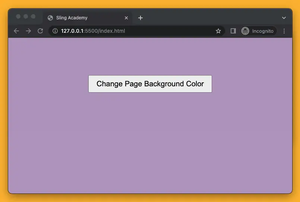
Random numbers can be applied for more than just figures; they can be used to create dynamic experiences, such as generating random colors. A common approach involves generating random RGB values:
function getRandomColor() {
  const r = Math.floor(Math.random() * 256);
  const g = Math.floor(Math.random() * 256);
  const b = Math.floor(Math.random() * 256);
  return `rgb(${r},${g},${b})`;
}

console.log(getRandomColor());
The function getRandomColor() outputs a string in the RGB format. Each color component (red, green, blue) can have a value from 0 to 255.
Shrinking Random Ranges
For situations where you need a smaller or different range, you can adjust the basic principle to suit your scenario. For instance, to generate numbers only between 0 and 100:
let randomNumber = Math.floor(Math.random() * 101);
console.log(randomNumber);
This code effectively yields integers between 0 and 100.
Generating Random Booleans
A simple derivation from the basic Math.random() is creating random boolean values:
function getRandomBoolean() {
  return Math.random() < 0.5;
}

console.log(getRandomBoolean());
This function returns a boolean value that randomly evaluates to either true or false.
Real-Life Applications
Random numbers have applications in various domains. They're crucial in gaming for random events or loot, security for nonce values, and simulations requiring random sampling. For example, in an online quiz application, you might randomize the order in which questions or answers are presented:
function shuffleArray(array) {
  for (let i = array.length - 1; i > 0; i--) {
    const j = Math.floor(Math.random() * (i + 1));
    [array[i], array[j]] = [array[j], array[i]];
  }
  return array;
}

let questions = ['What is the capital of France?', 'What is 2 + 2?', 'Where is the Great Wall located?'];
console.log(shuffleArray(questions));
Using shuffleArray, an array of questions can be randomized to ensure a unique experience each time.
Conclusion
Learning to manipulate the Math.random() function offers multiple opportunities for enhancing applications with randomness. Whether you're creating games, random color generators, or quiz apps, understanding this function helps you implement these features efficiently. Keep in mind, though, that Math.random() is not cryptographically secure; it should not be used where a high level of security is needed.